Don’t be fooled by search engine result pages (SERP’s). You’ve checked your rankings and you see your pages consistently ranking high, but you’re not getting the traffic you expect. Or, maybe you have a client that insists their rankings are higher than what you are seeing. If these scenarios sound familiar, the two big factors to consider are device type, and personalization.
Search engines are increasingly tailoring results for mobile users (see my previous post: Googles-mobile-friendly-search-update-coming-april-21st). Mobile users are seen as “on-the-go” and seeking quick, easy to find answers. As such, mobile SERP’s will favor results that are mobile-friendly and don’t require a lot of scrolling on the page to find the information that a user is seeking. Additionally, location plays a key role for any queries deemed to have a local intent – explicit or implicit.
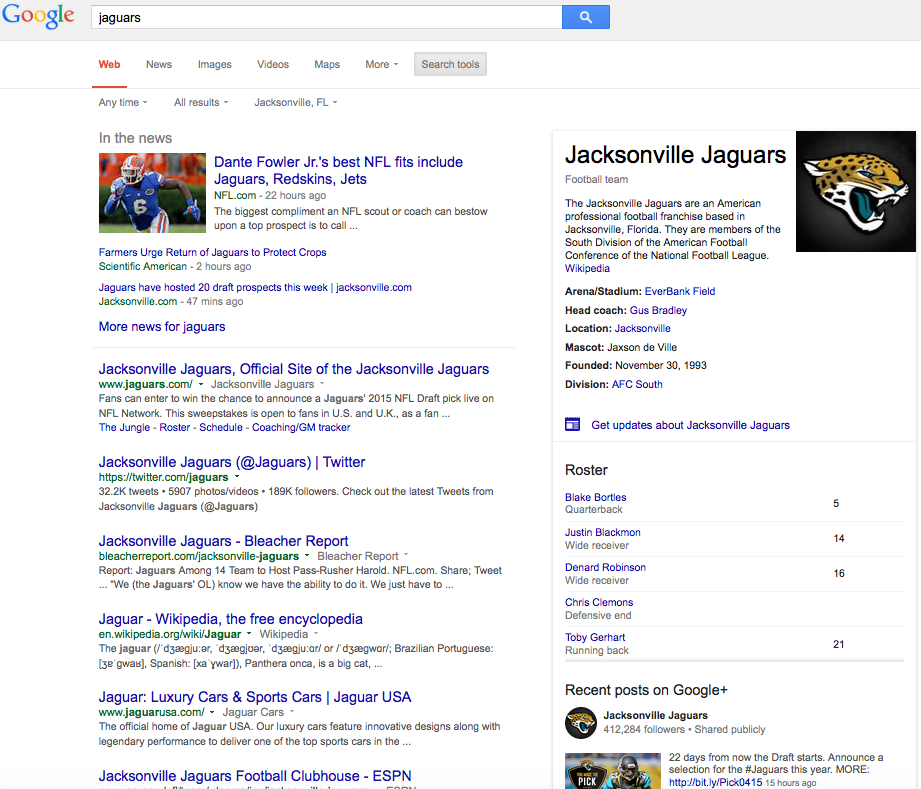
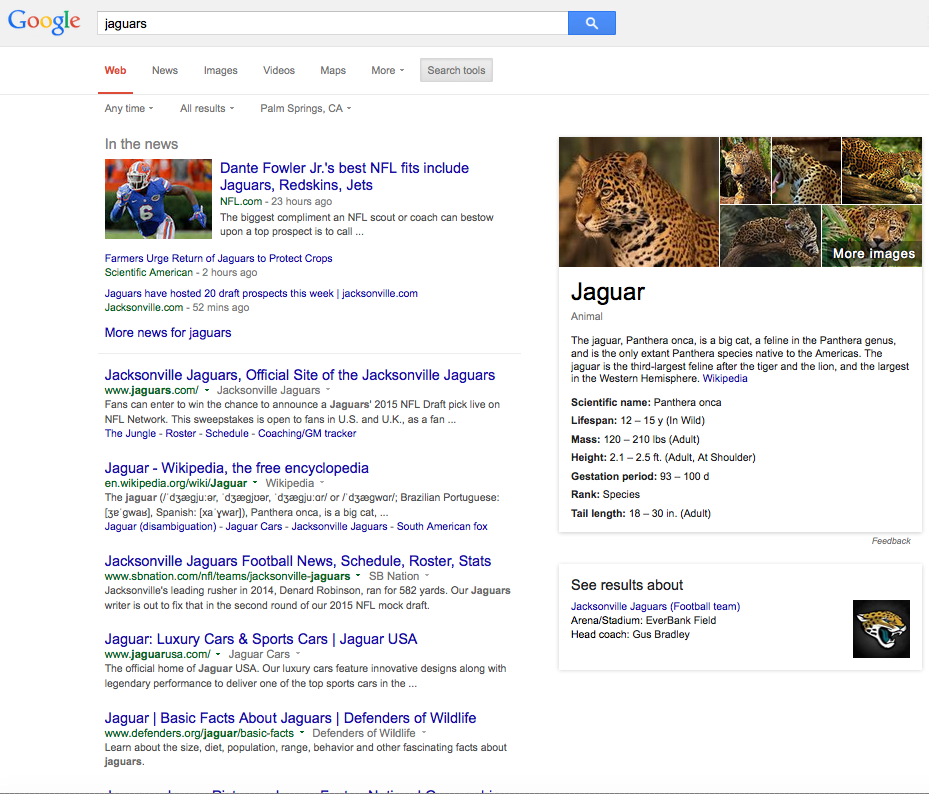
Personalization happens when search engines use factors such as your location and your search history to provide custom-tailored search results. Here is an example of where location settings can affect the results:
In this example I used the query “jaguars”. On the left is the SERP for the location “Jacksonville, FL” and on the right is the SERP for the location “Palm Springs, CA”. It’s not surprising to see the Jacksonville Jaguars football team in the knowledge graph at the top right since Jacksonville is their home. As you can see, the SERP on the right returns results focused more on the animal, and not as much football related information:
(click to enlarge)
Search history comes into play through the use of cookies stored on your device, or if you are signed-in to Google (or Bing, etc.). The search engines will use your search history, and possibly your social connections (there is much debate about how much influence social media has on search rankings), to return content they think is more relevant to you based on what you’ve done in the past.
It’s becoming increasingly harder to completely eliminate these factors from your search results, but here are some things you can do (I’m referring to Google for these options, but you could apply them to Bing, Yahoo, etc.).
- Sign out of your account.
- Clear your browser cache/cookies
- After running a search, choose “Search Tools”, then choose a location to use. This is good if you want to emulate a local user in another city. Also, you can choose “United States” for a general U.S.-based SERP.
Those are a few of the easier changes to make. For additional information, see Google’s tips for searching and browsing privately.